All-in-one register · NF525

Taking payment is easy. Making money is managed.

Kompt takes payment, tracks your stock and your recipes — and above all works out the real margin of every product from your actual supplier invoices. You finally know what you are earning your living on.

No commitment · demo tailored to your menu within 24–48 h · deploys in 5 seconds

4brands live
NF525chained tickets & signed closings
19 sto read a supplier invoice
3 currencies€ · F CFA · DH — France & export
The number one argument

Any register counts revenue. Kompt counts what is left.

1
Your invoices become your costs Photograph the invoice: the AI reads the supplier, the line items and the pack size — a 70 cl bottle does not cost 70 times one centilitre. Every recipe cost updates on its own.
2
Margin, product by product Food cost, unit margin, total margin. You sort by what actually earns — not by what sells most.
3
What you can still make Kompt cross-checks recipes against stock: how many units are feasible, and which ingredient is blocking you. That is the one to reorder.
Invoice scanAI · 19 s · €0.05 excl. VAT per read
ORGANIC RED KURI SQUASH, 10 KG CASEmatched · 1 case = 10 kg
LIQUID CREAM 35% 1Lmatched · 1 L = 100 cl
WHITE CHICKEN STOCK 5Lmatched · 5 L = 500 cl
Squash velouté cost recalculated: Unit margin · food cost 12.7%. Every recipe using these ingredients has updated.
Live demo

Try Kompt now, nothing to install.

Two demo businesses with several weeks of activity. Open the link, enter code 2580 and look around: everything resets every night. The interface is in French.

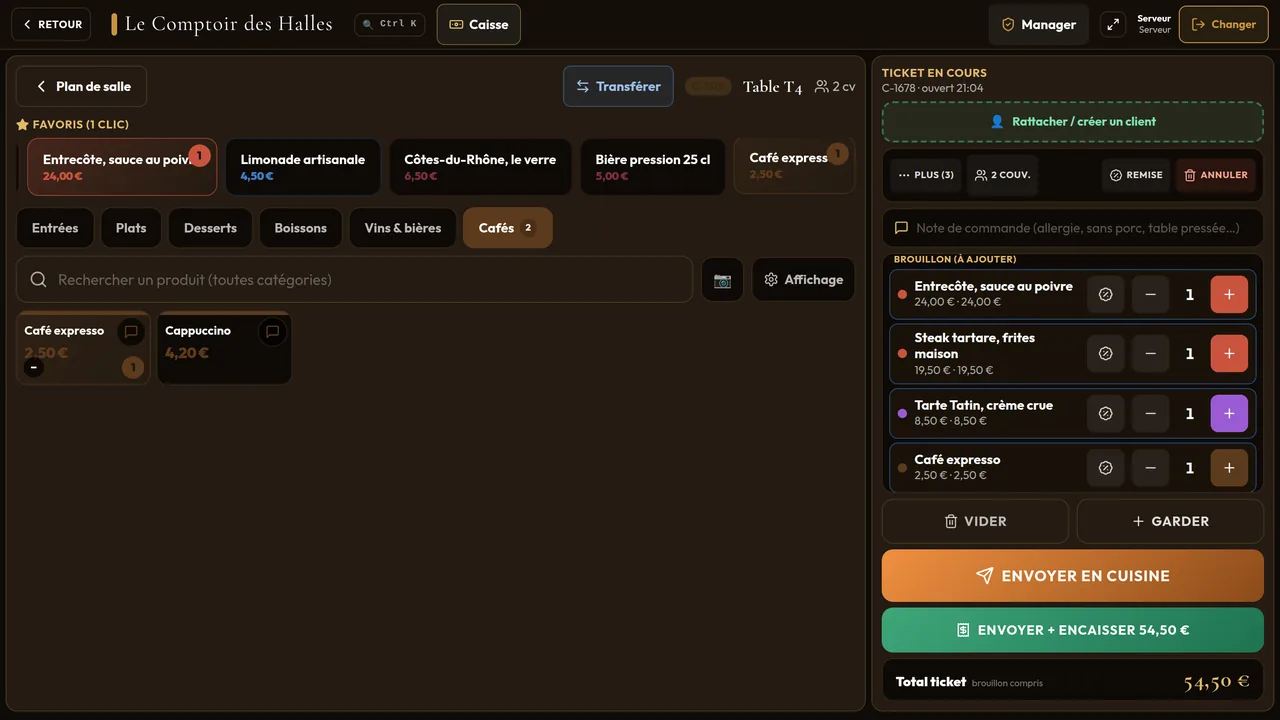
Kompt register in the demo restaurant: a table ticket with rib-eye, steak tartare and tarte Tatin
Restaurant

Le Comptoir des Halles

  • Caisse → « Téléphone » → type 9157: the customer is recognised and their usual order comes back in one tap.
  • Accueil → « Rentabilité »: the margin of every dish, worked out from supplier invoices.
  • Préparation: the kitchen screen, tickets arrive in real time.
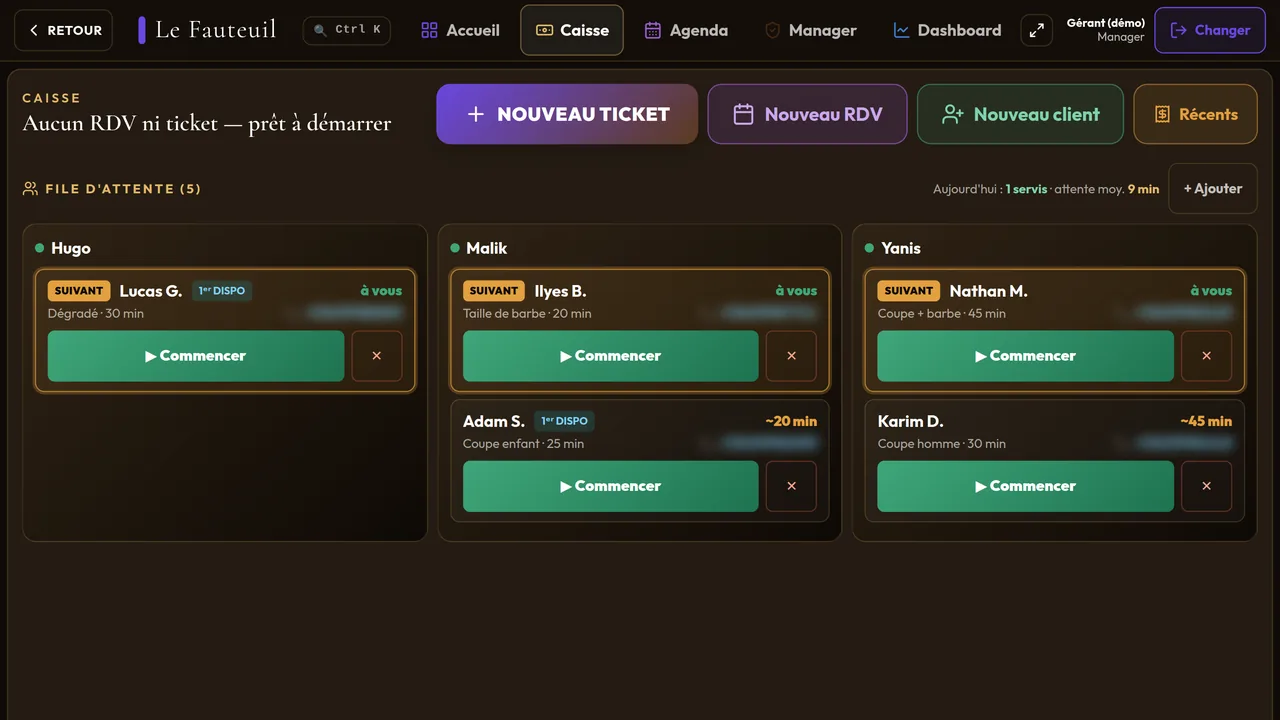
Walk-in queue of a demo salon on the Kompt register, per barber
Barber & hair salon

Le Fauteuil

  • The kiosk (demo-barbier.mjlab.tech/ecran): take your place in the queue.
  • Caisse: you are in the queue, « Commencer » opens a ticket already filled in.
  • Dashboard → « 30 jours »: each barber's sales.

Real Kompt screens, fictitious data. To see the register with your own menu and margins, ask for a demo: we reply within 24 to 48 h.

All-in-one

Everything that runs the place, in one spot.

One technical base, configured for your trade at install — hospitality, retail, beauty, leisure, sport, hotel, food, services.

Register & floor

Floor plan, one-tap send to kitchen, split payments, tips, set menus and combos, chained NF525 tickets.

Kitchen (KDS)

Separate drinks and kitchen screens, automatic priority on late tables, real time.

Stock & supply

Recipe-based deduction, alert thresholds, suppliers, purchase price history.

Appointments

Online diary, no-show prevention, queue with web notification, kiosk — and door ticketing for events.

Loyalty & customers

Stamps, gift cards, credit notes, unified customer record and purchase history. Public QR menu, nothing to install.

Management

Live revenue against target, top products, per-staff performance, Z reports — across one or several sites.

Hardware

A tablet is enough. The rest, you already own.

Kompt opens in a browser: no proprietary terminal to buy, no box to rent, no three-year lease. Tablet, phone, laptop or desktop — same software, same data, at the same second.

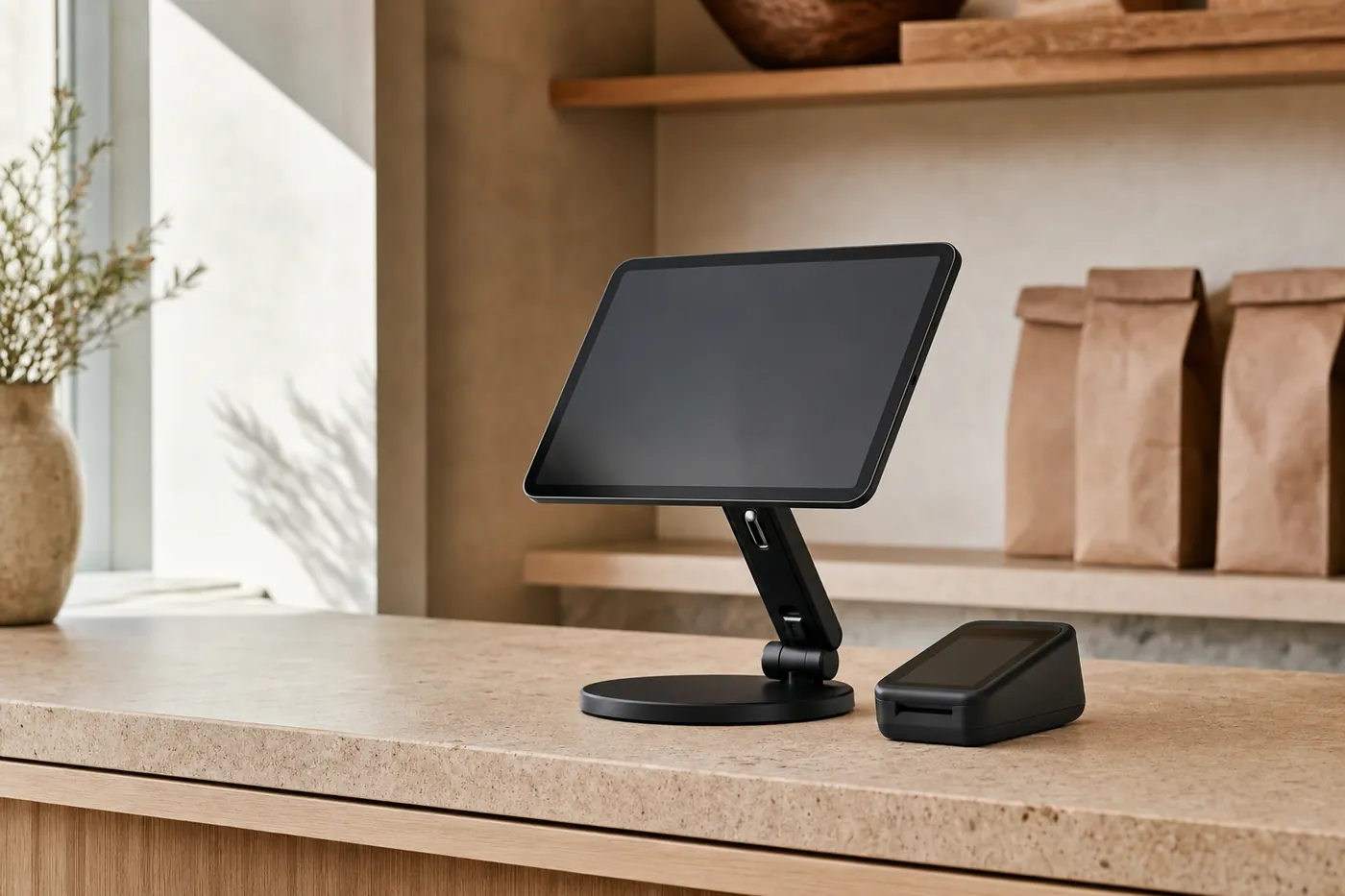
A tablet on a swivel counter stand, on the pale counter of a small shop.
Open ticket3 items · sent to the kitchen
11″ tablet on a swivel counter stand — the main station.
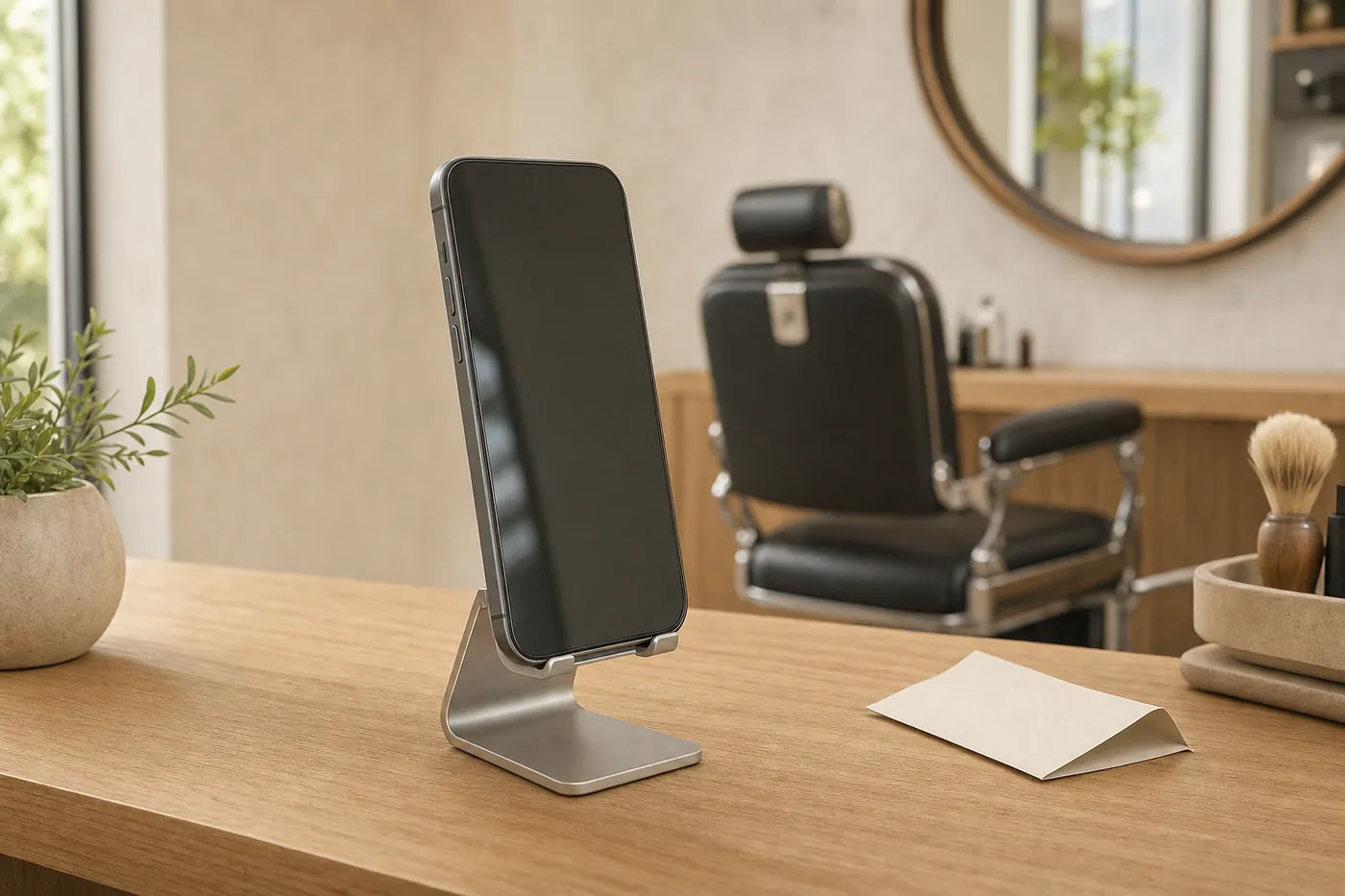
A smartphone resting on an aluminium counter stand, in a salon.
Order on the floorTable 7Taken at the table · in the kitchen in 2 s
Smartphone on a counter stand — taking orders on the floor.
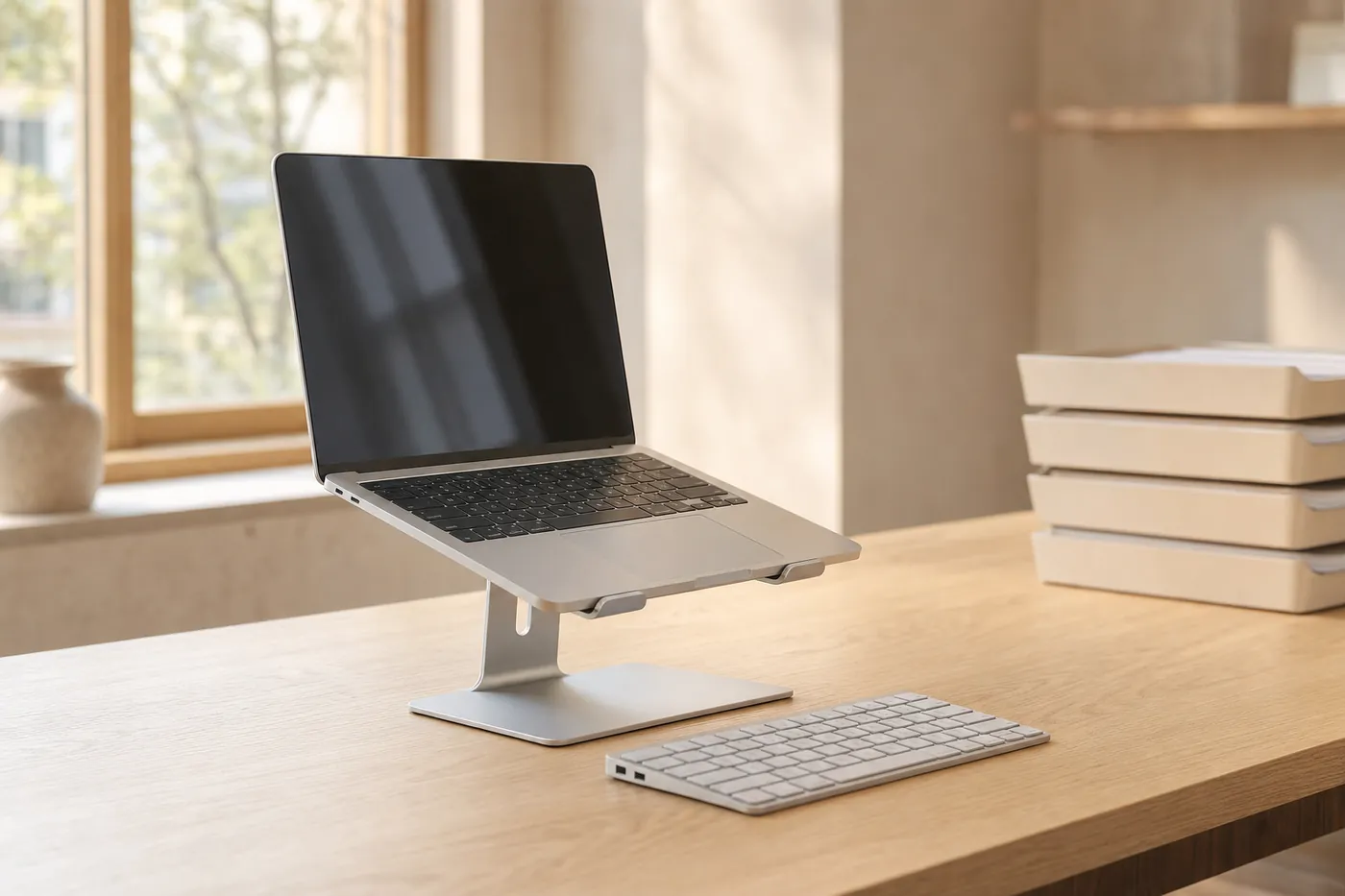
An open laptop on a raised stand, on the back-office desk of a small shop.
Today's reportDaily target +8%
Laptop on a raised stand — the back office.
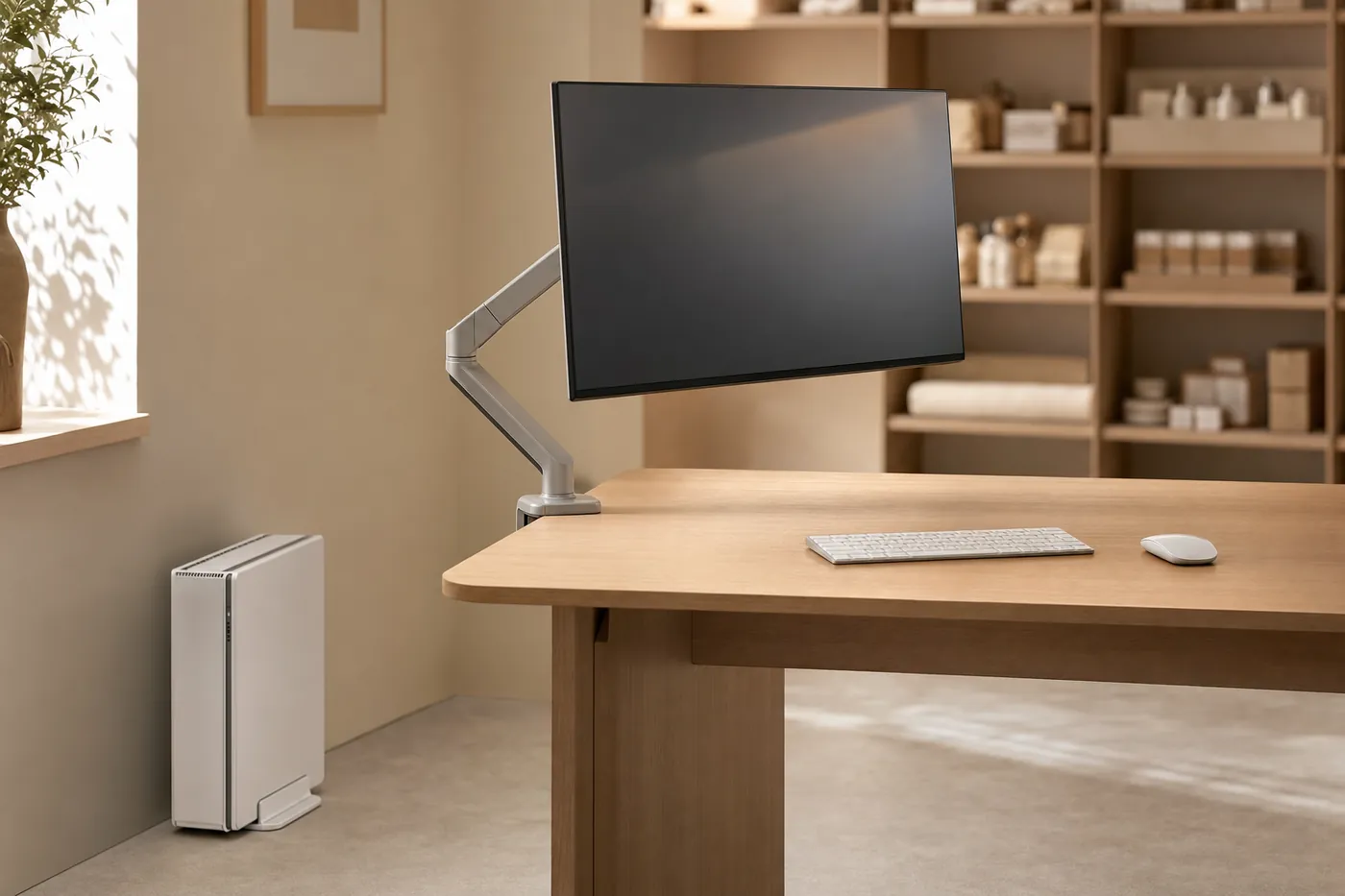
A large monitor on an articulated arm above a desk, with a computer tower beside it.
Profitability71%Average margin · food cost 19.7%
Monitor on an articulated arm with a tower — the fixed counter.
Nothing to installOne address to open in a browser. Adding a station takes two minutes, not a purchase order.
Every station, the same secondWhat is entered at the table shows up in the kitchen and at the counter immediately — and your figures follow you anywhere.
The hardware you already havePrinters, cash drawer and card terminal connected wherever it is possible — and we tell you straight when it is not.
Two products, one invoice

Kompt takes payment. My Commerce IA brings them back.

The register and the AI Concierge are two separate products, built to work together. You only switch the second one on if you want it.

How the two talk to each otherKomptMy Commerce IA
1The sale is taken

Receipt, payment method, products sold. Nothing extra to enter — it is your normal work.

2The customer record fills itself

The visit is attached to the customer: what they buy, how often, how much they spend.

3The follow-up goes out at the right moment

Not seen for 45 days, a birthday, an appointment tomorrow: the message goes out in your name. You approve it.

4The customer comes back

They check out again — and the loop restarts, with one more customer on file.

One customer base, no double entry. You can start with Kompt alone — the loop switches on the day you switch on My Commerce IA.
The software

Kompt

Checkout, stock, recipes, profitability, team, NF525. That is the base — it works on its own.

€75/month excl. VAT · or €60/month paid yearly
×
Customer relationship

My Commerce IA

WhatsApp, SMS and Email in your name, Google reviews, win-back campaigns. Published and billed on mycommerceia.com.

No subscription · pay as you go · €40 excl. VAT/month with your own number

Kompt: €75 excl. VAT per month with no commitment, or €60 excl. VAT per month when you pay the year upfront (€720 excl. VAT). Each supplier invoice read by the AI is billed €0.05 excl. VAT on top. Hardware and options are quoted separately. My Commerce IA works with no subscription: you only pay for the messages you send, at a fixed, published price (WhatsApp €0.15 excl. VAT, SMS €0.10 excl. VAT, email free), from credits topped up from €5 excl. VAT. The optional “My Number” plan adds your own WhatsApp number and 200 included messages per month for €40 excl. VAT/month.

FAQ

What we get asked most.

Do I have to replace all my hardware?

No. Kompt runs in a browser, on tablet, PC or mobile. We connect your existing printers where possible, and tell you straight when it is not. See which devices →

How long to get started?

Your menu is imported from a file, a photo or your old register. Expect a tailored demo within 24–48 h, then same-day deployment.

How much does Kompt cost?

€75 excl. VAT per month, no commitment — or €60 excl. VAT per month if you pay the year upfront (€720 excl. VAT). AI reading of supplier invoices is billed €0.05 excl. VAT per invoice, on top. Hardware (tablet, printer, cash drawer) is quoted separately: we start from what you already own.

What about NF525 compliance?

Chained and signed tickets, daily closings, export and audit log. On for France; off outside the zone, where it does not apply.

Is the AI Concierge mandatory?

No. Kompt works alone. The Concierge is included in demo mode — everything works, nothing is sent — and you switch it on the day you want to talk to your customers for real.

See Kompt running on your own menu.

A demo tailored to your business, no commitment, within 24–48 h. We show you your own products, with your margins.

Message us on WhatsAppA human replies, not a bot